Business health
A score out of 100 across six factors, and the one change that would lift it most.
Every plan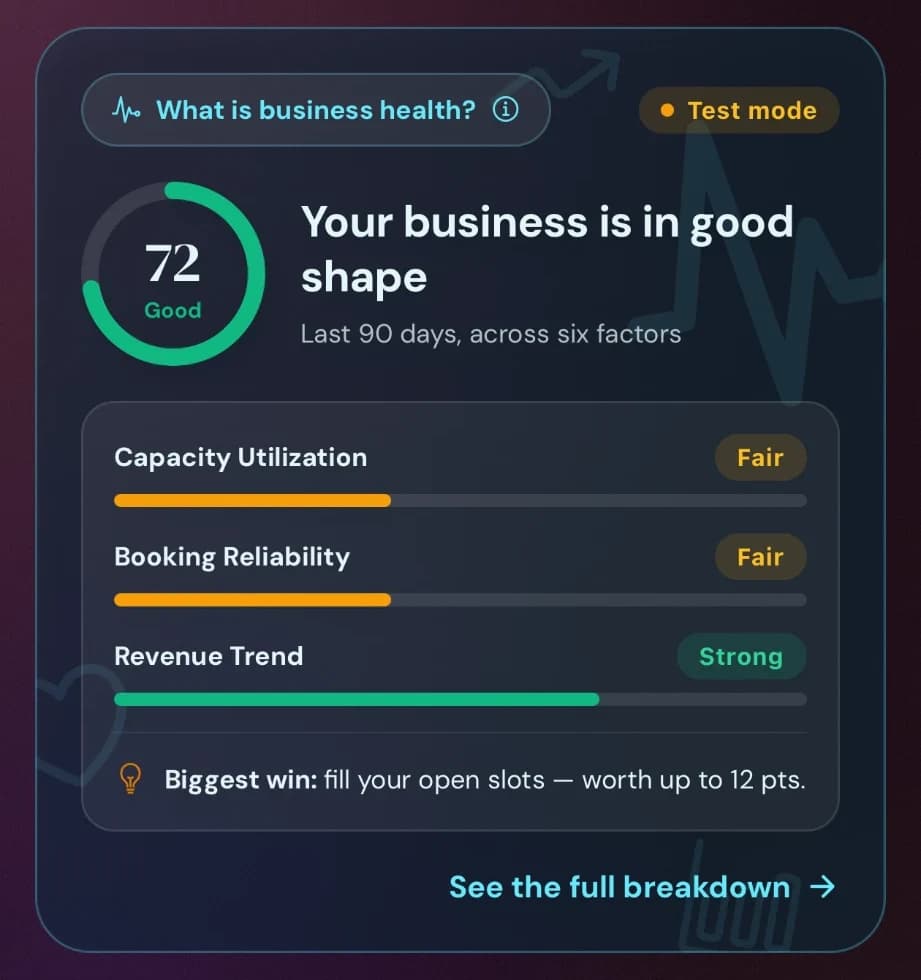
Take bookings, get paid in person or online, and run your website, loyalty and marketing from one place. Bring your team in when you grow.
Free for up to 30 bookings a month · No card needed · Stripe payments built in · Built in the UK
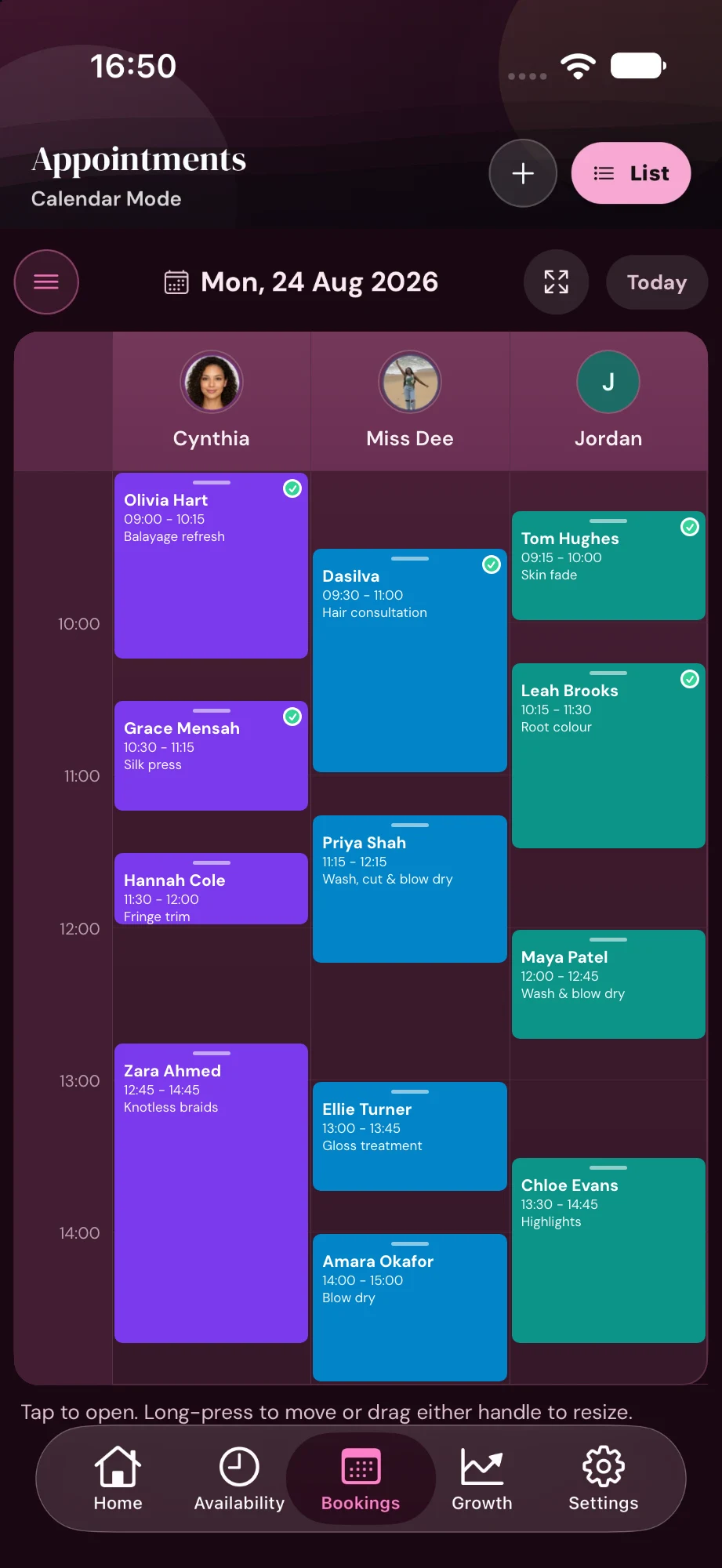
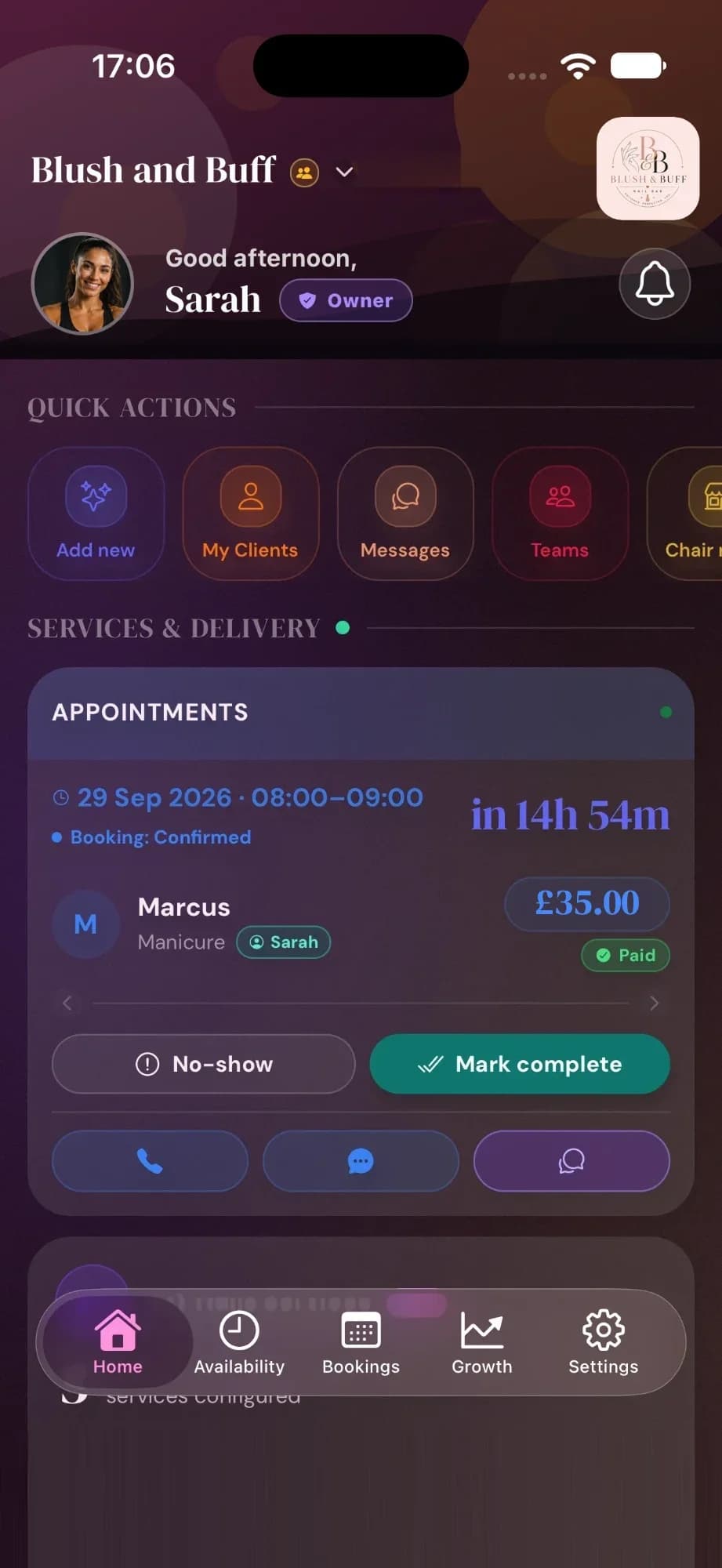
See how the week is going, who is working, and what to send clients next, all from the Cyntree app.
A score out of 100 across six factors, and the one change that would lift it most.
Every planEvery professional gets a column. Long-press to move a booking, drag a handle to change its length.
TeamsWrite it, preview it, send it to clients who opted in.
Premium and up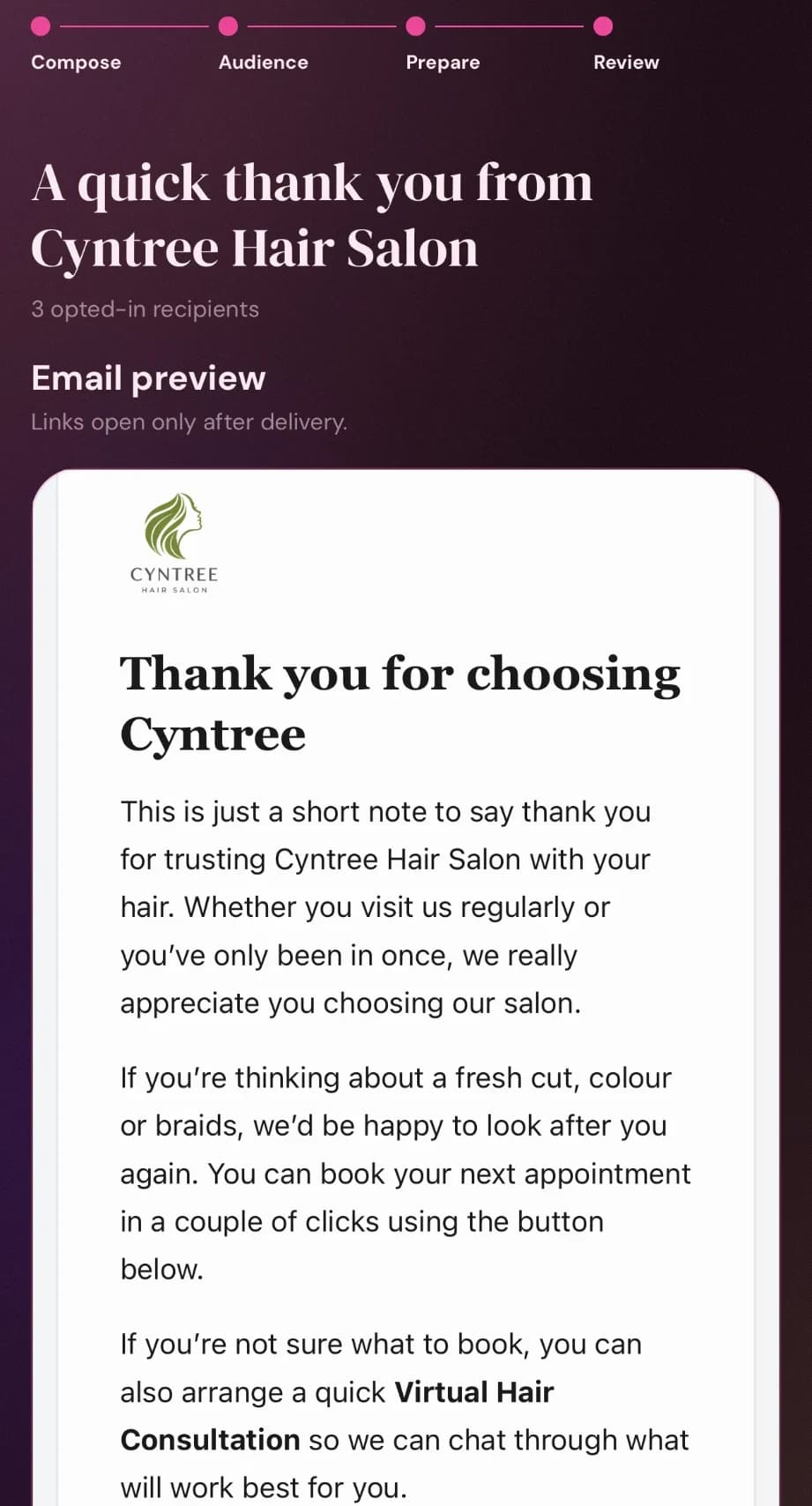
Turn a discount code into a post or story in your colours.
Pro and up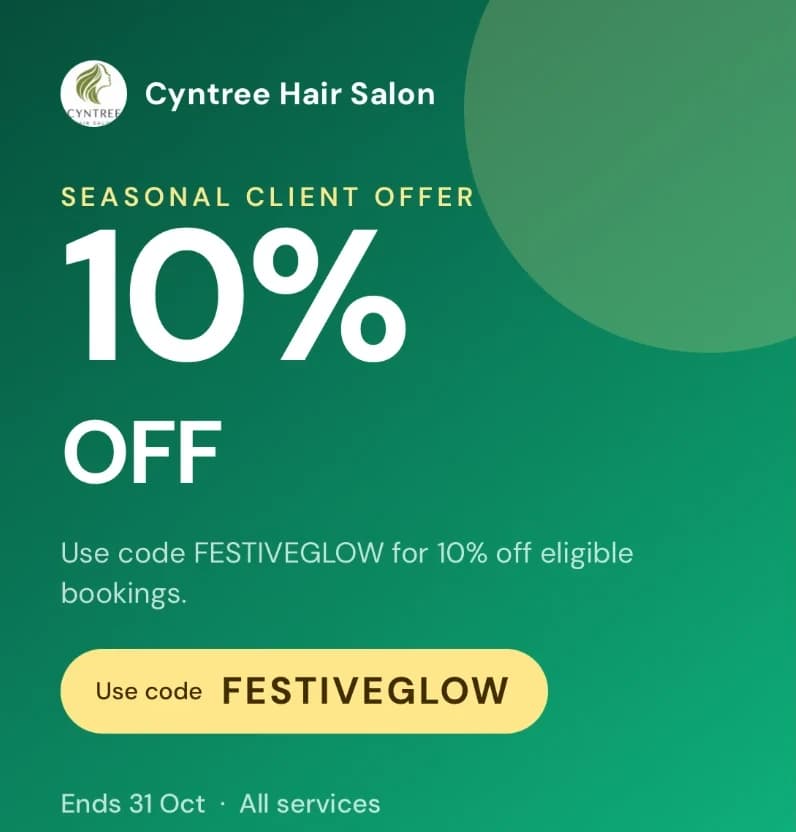
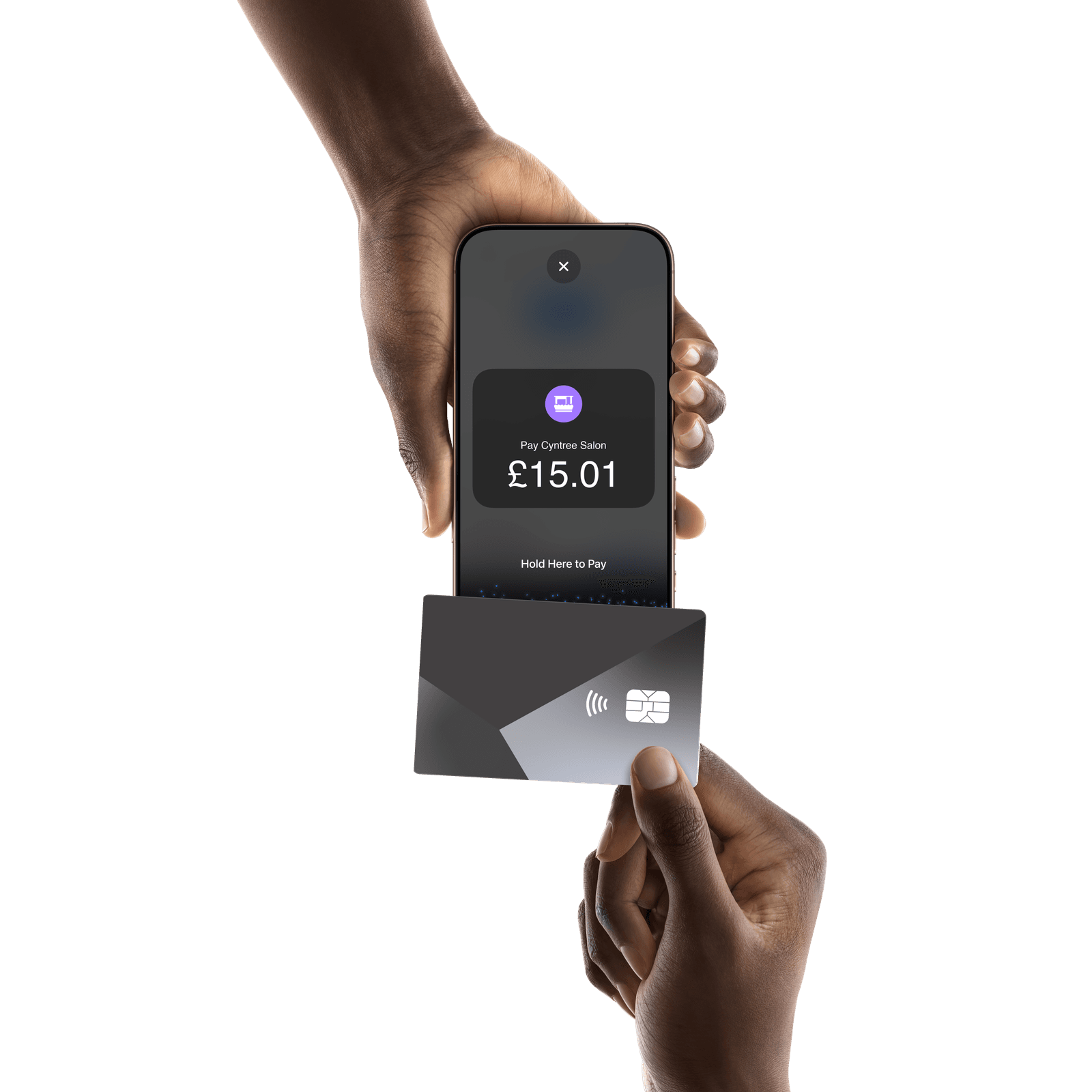
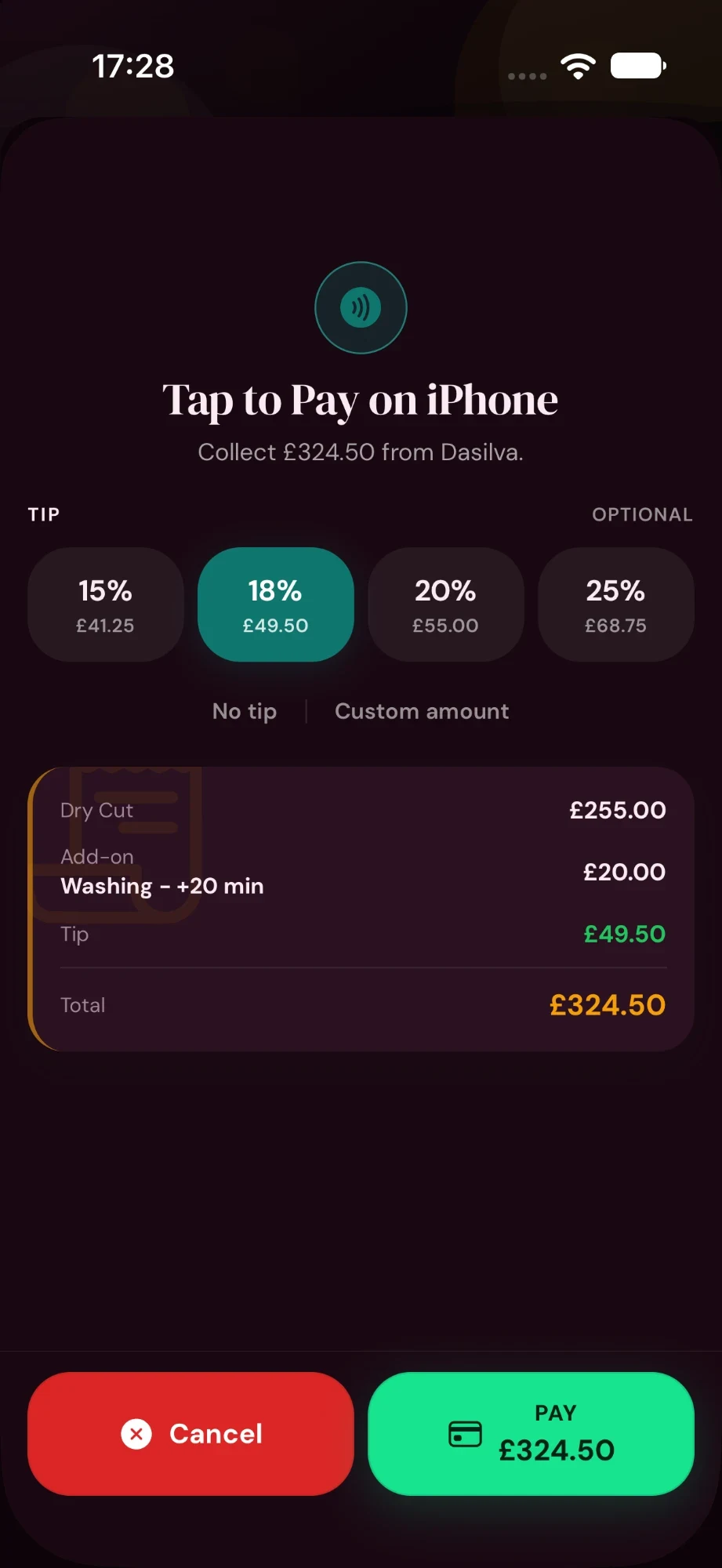
With Tap to Pay on iPhone, accept contactless debit and credit cards, Apple Pay, and other digital wallets right in the Cyntree app, with no card reader and no extra hardware. Tap, done, straight onto the booking.
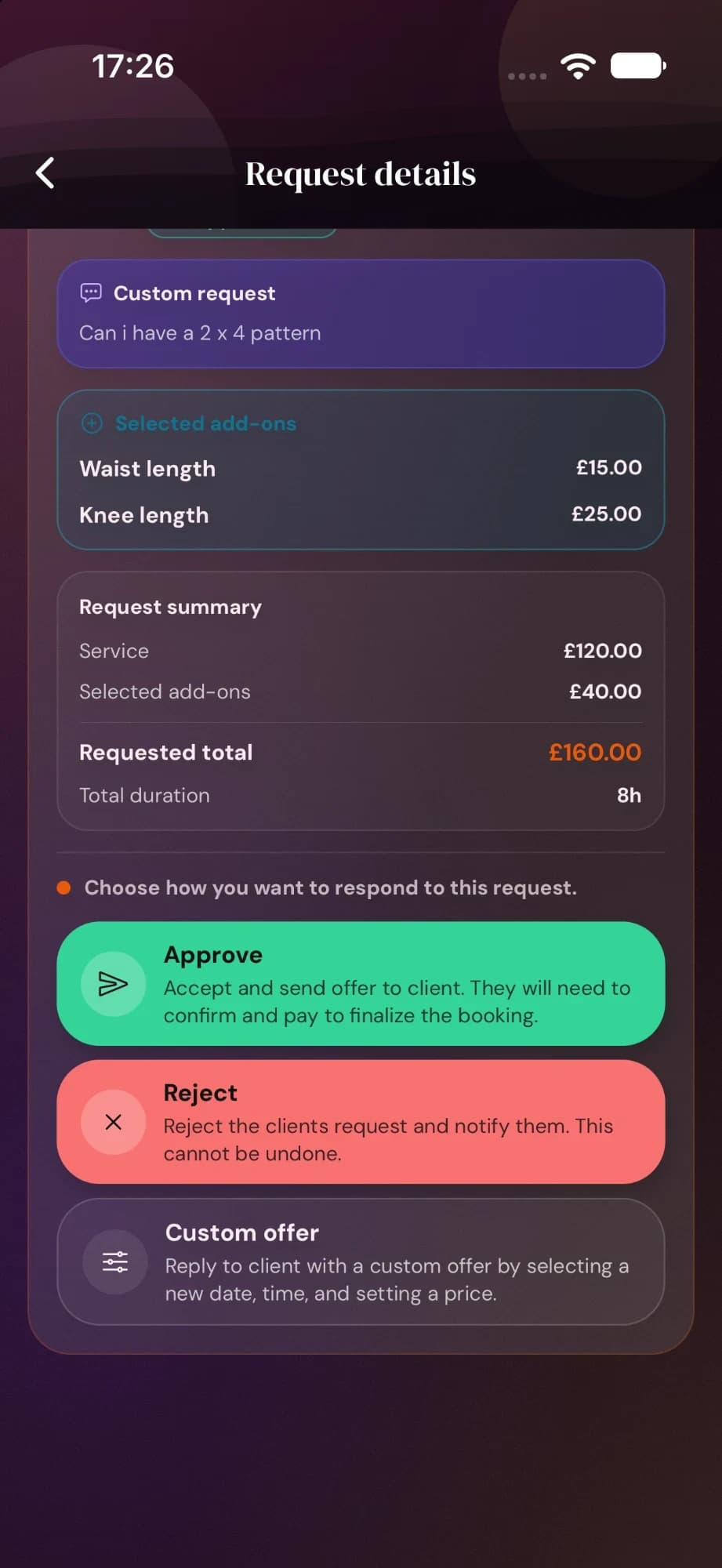
When a client asks for a time you are not normally open, the request lands in the app with everything they chose. You decide what happens next.
Booking requestsPro and up
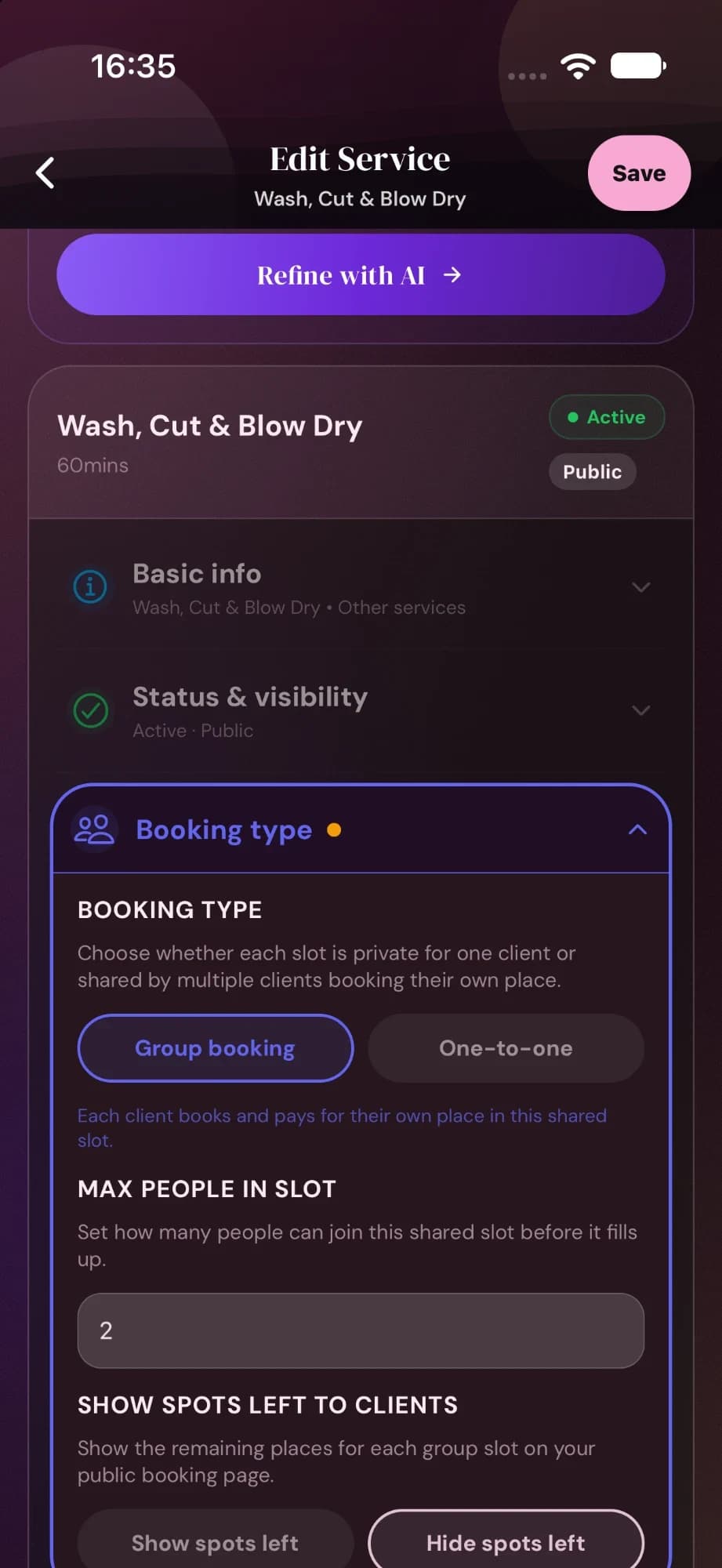
Most services are a time and a price. For the rest, change the booking type or the workflow on that one service.
Pro and up
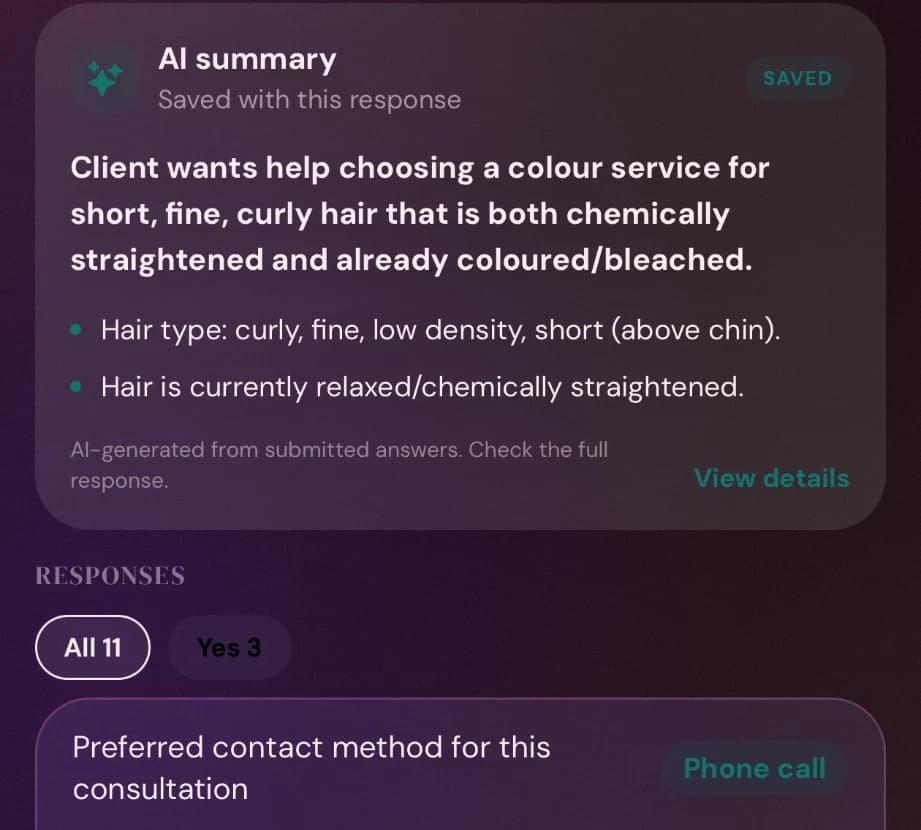
Send intake and consent forms before the appointment. When the answers come back, an AI summary pulls out what you need to know.
FormsPremium and up
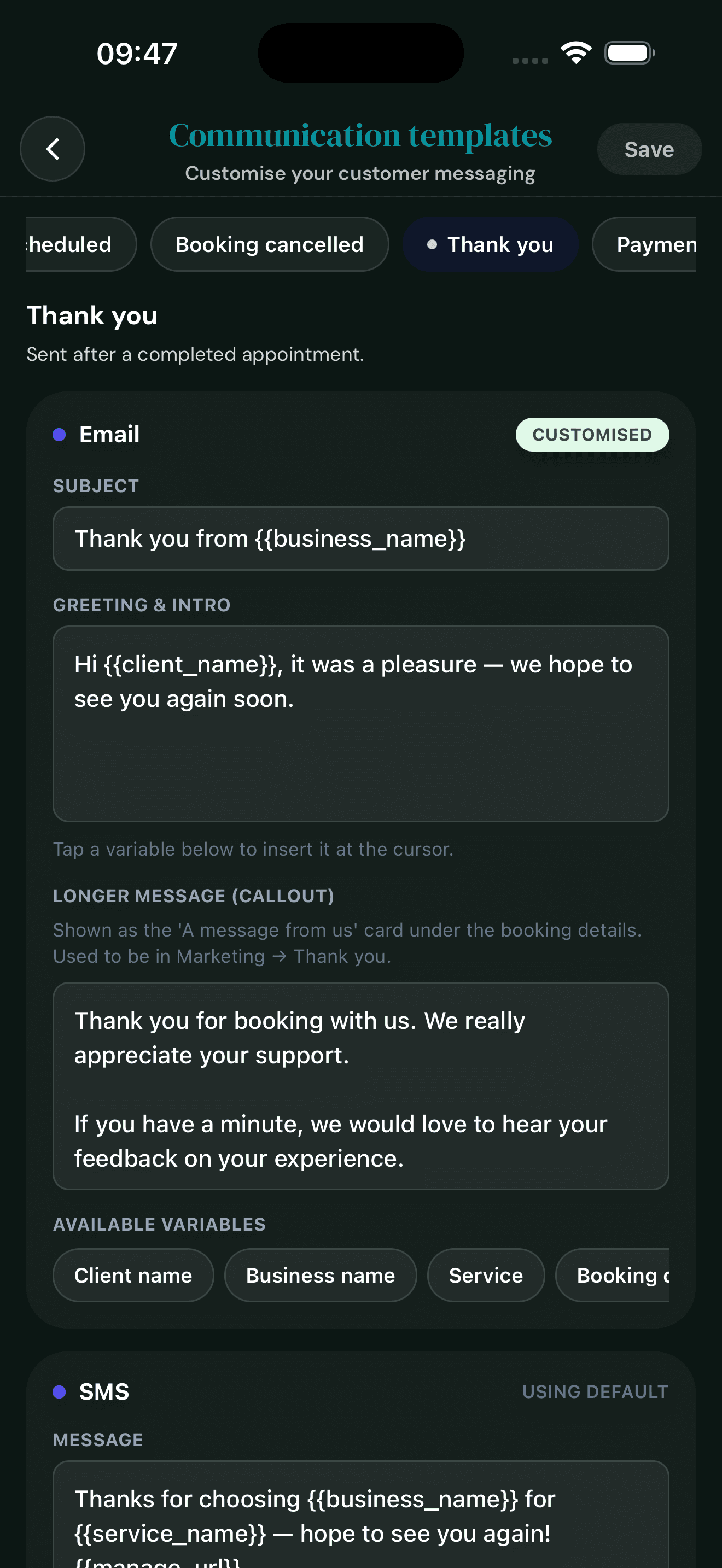
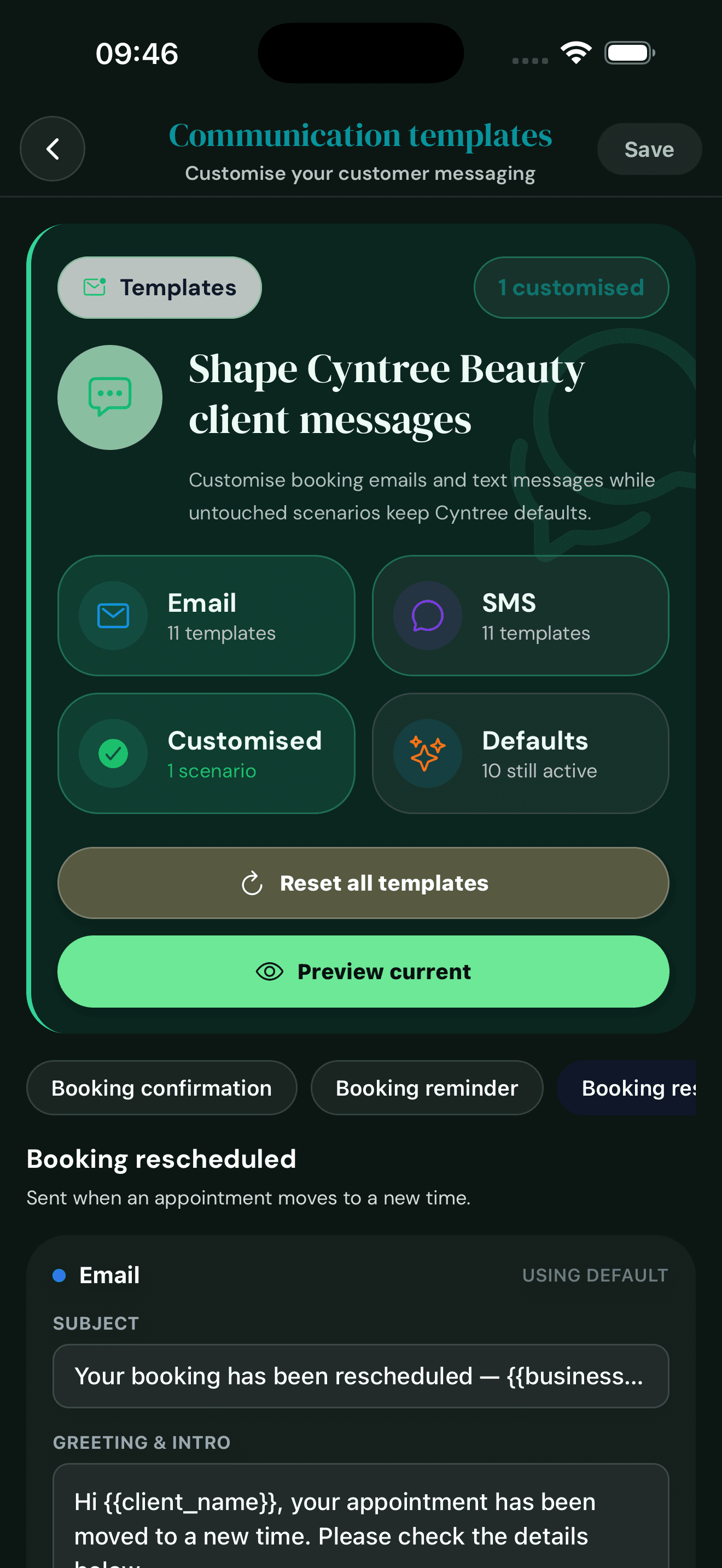
Confirmations, reminders and thank-yous go out on their own. The defaults work from day one; rewrite the ones that should sound like you.
Message templatesEmail on every plan, SMS on Pro and up
A digital loyalty card that fills itself in. Every completed booking adds a stamp, and when the card is full your client earns the reward you chose. No paper cards to lose, no stamps to remember.
Stamp CardsPro and up
In your app
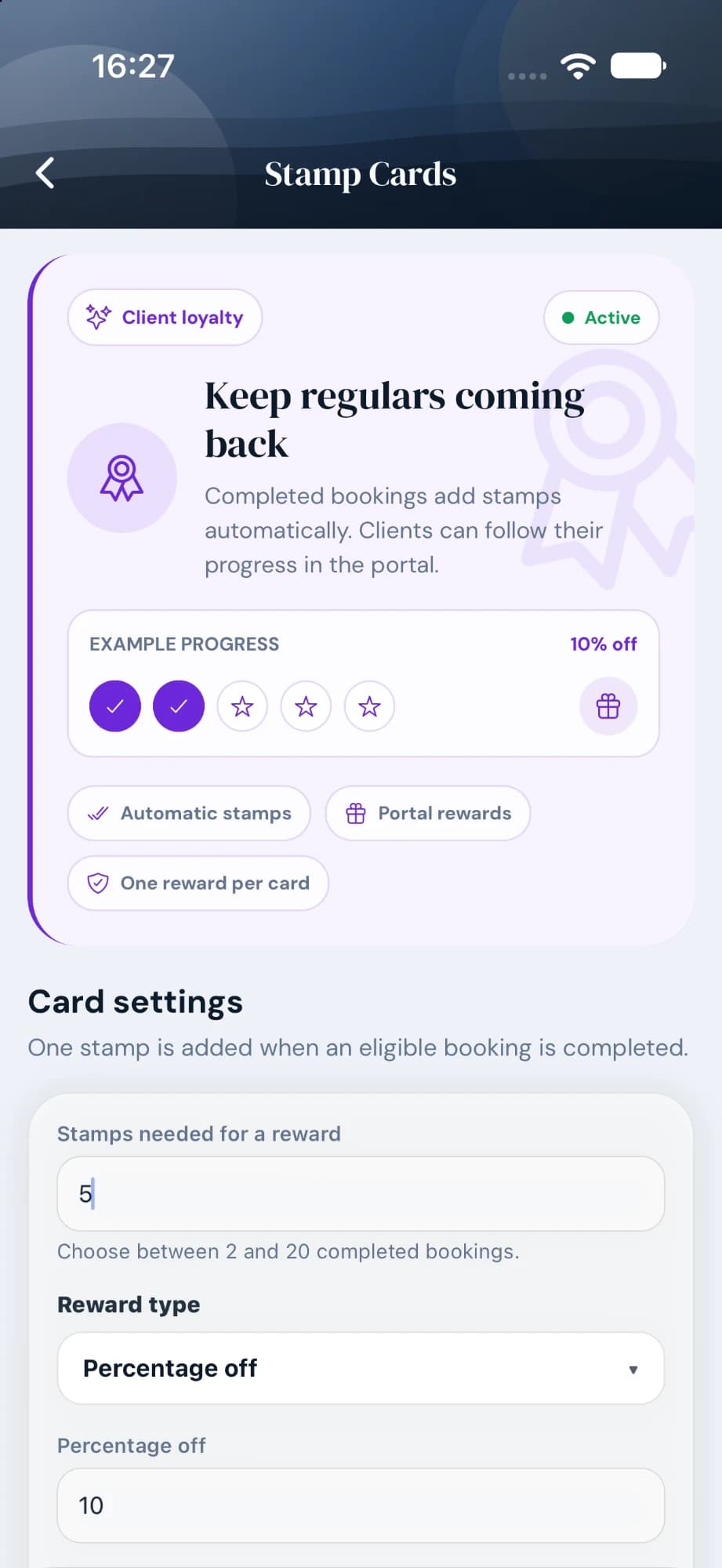
Pick 2 to 20 visits per card, then a reward: a percentage off, an amount off or a free service.
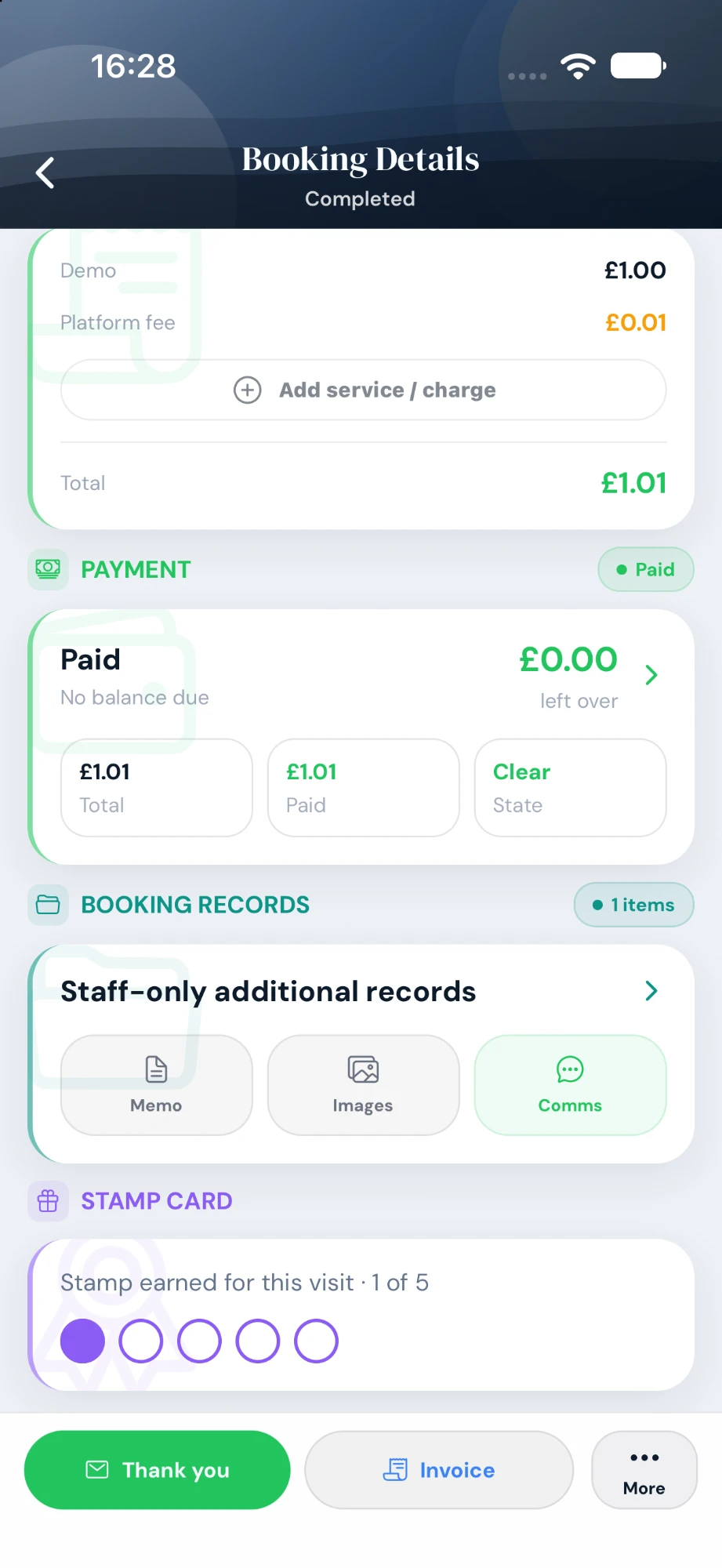
Complete a booking and the stamp lands on it by itself.
What your client sees
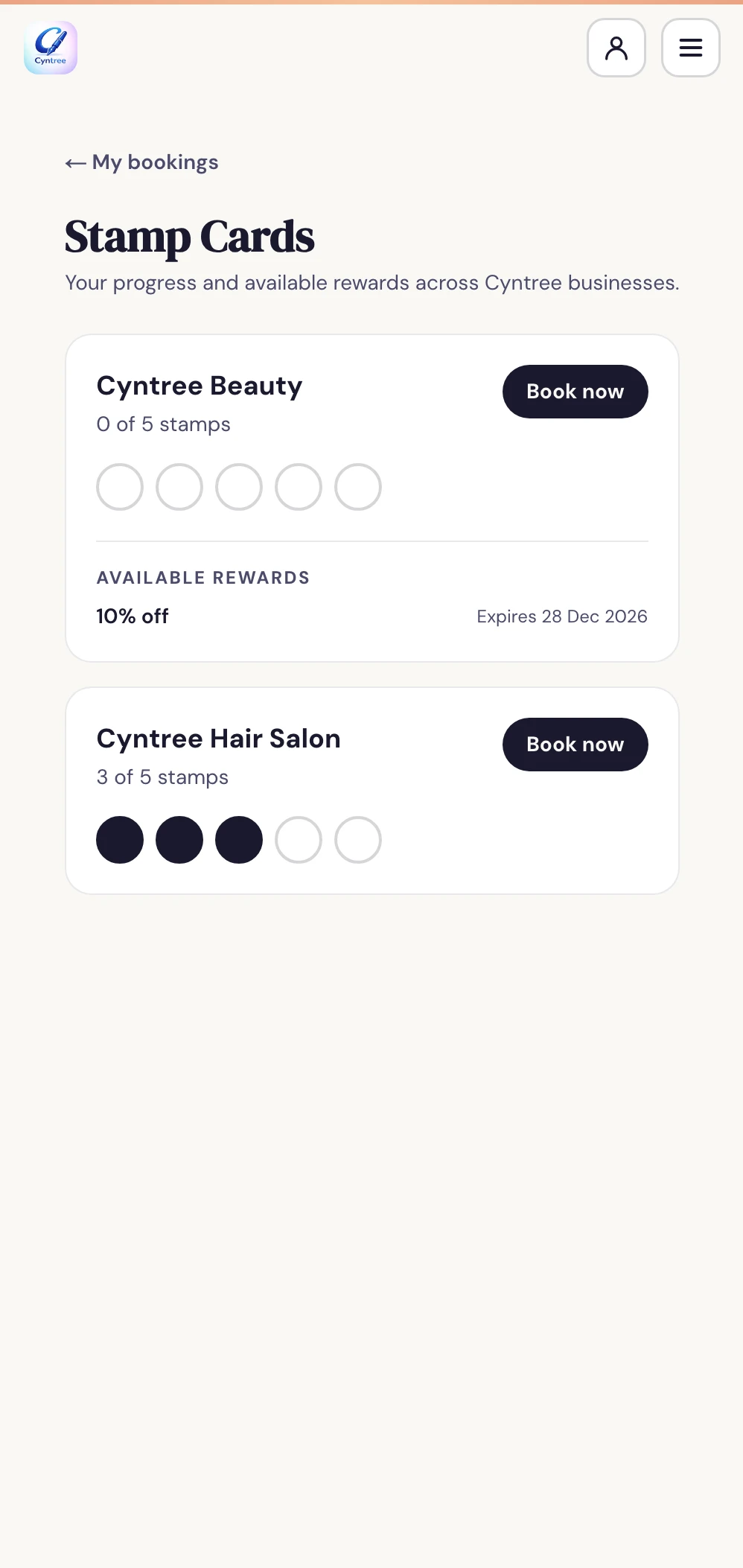
A full card becomes a reward in the client's Cyntree portal, and a fresh card starts.
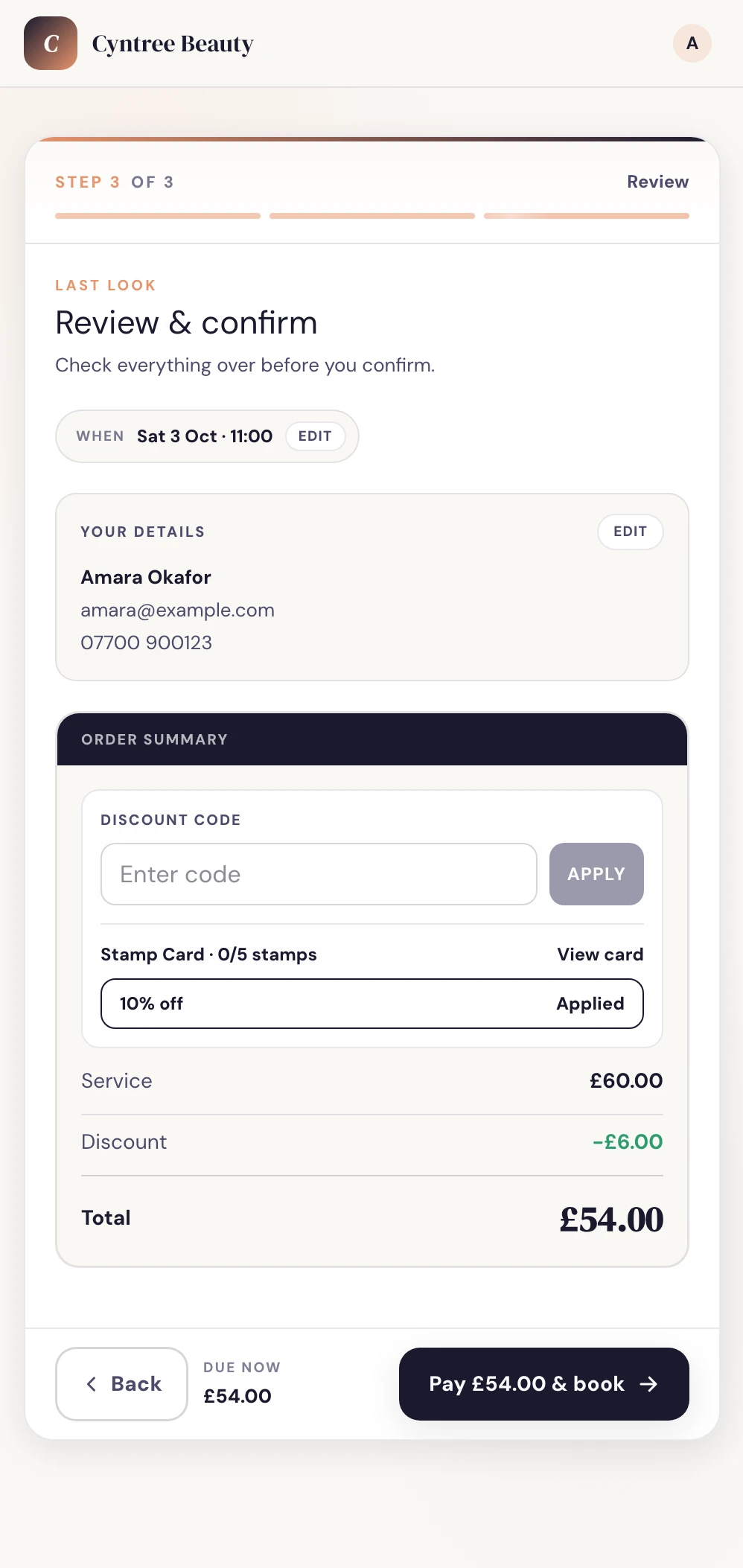
Signed-in clients get their best reward applied before they pay. No code to type.
Give clients more than a plain link. Build a page that feels trustworthy, matches your style, and still gets people straight to booking.
Choose from eight designs. Add sections and pages, make the colours and fonts yours, then preview and publish from the app. Available on every plan; your classic site stays live while you edit.
Terracotta · Noir · Studio
Find Booking site on Home → Your booking sites.
Every account gets a booking website out of the box. Switch the layout style, colour palette, and typography from inside the app. No designer needed.
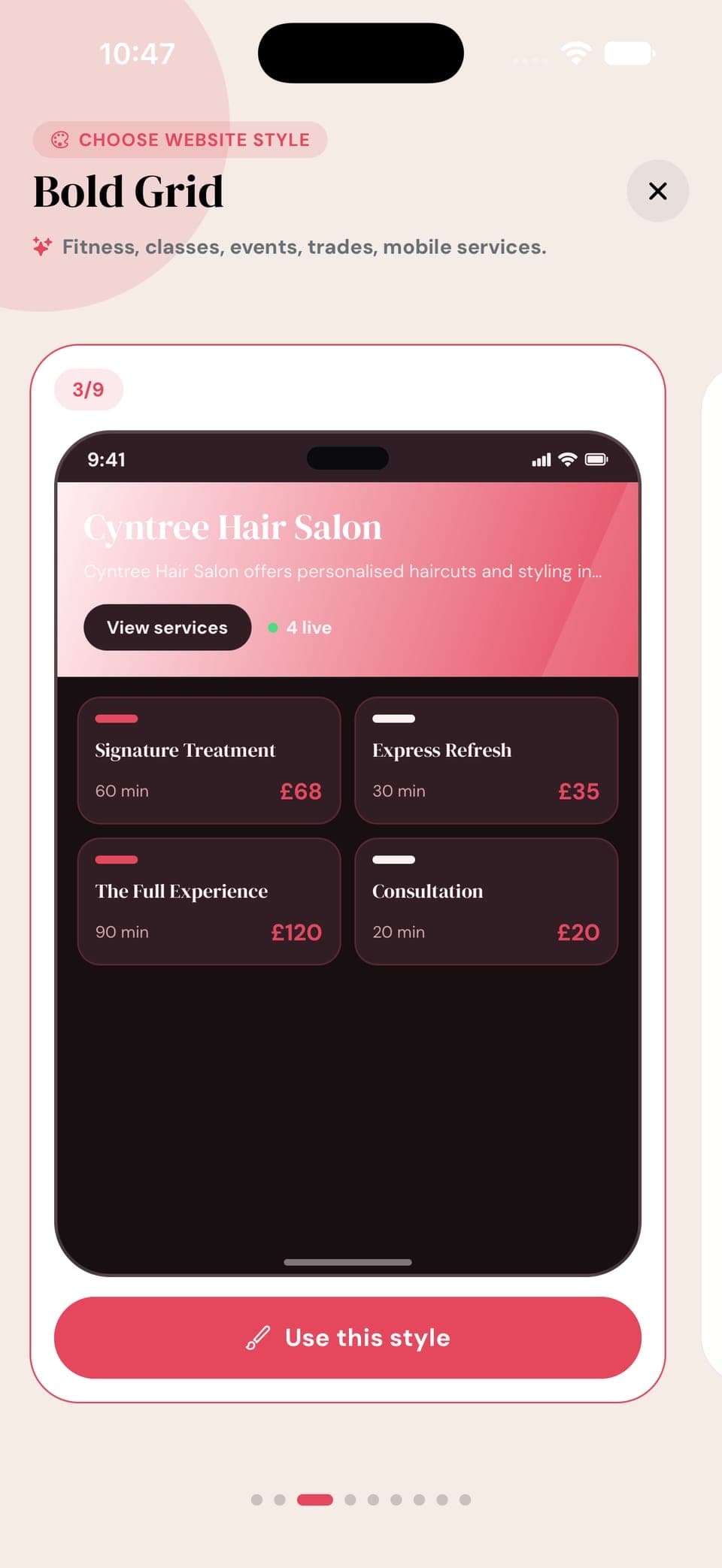
Classic, Editorial, Bold Grid, Visual Showcase, Minimal Pro, Luxury Split and more, each built for a different kind of service business. Swipe through a live preview of each, then tap to apply. Your colours, fonts, and flyers carry across.
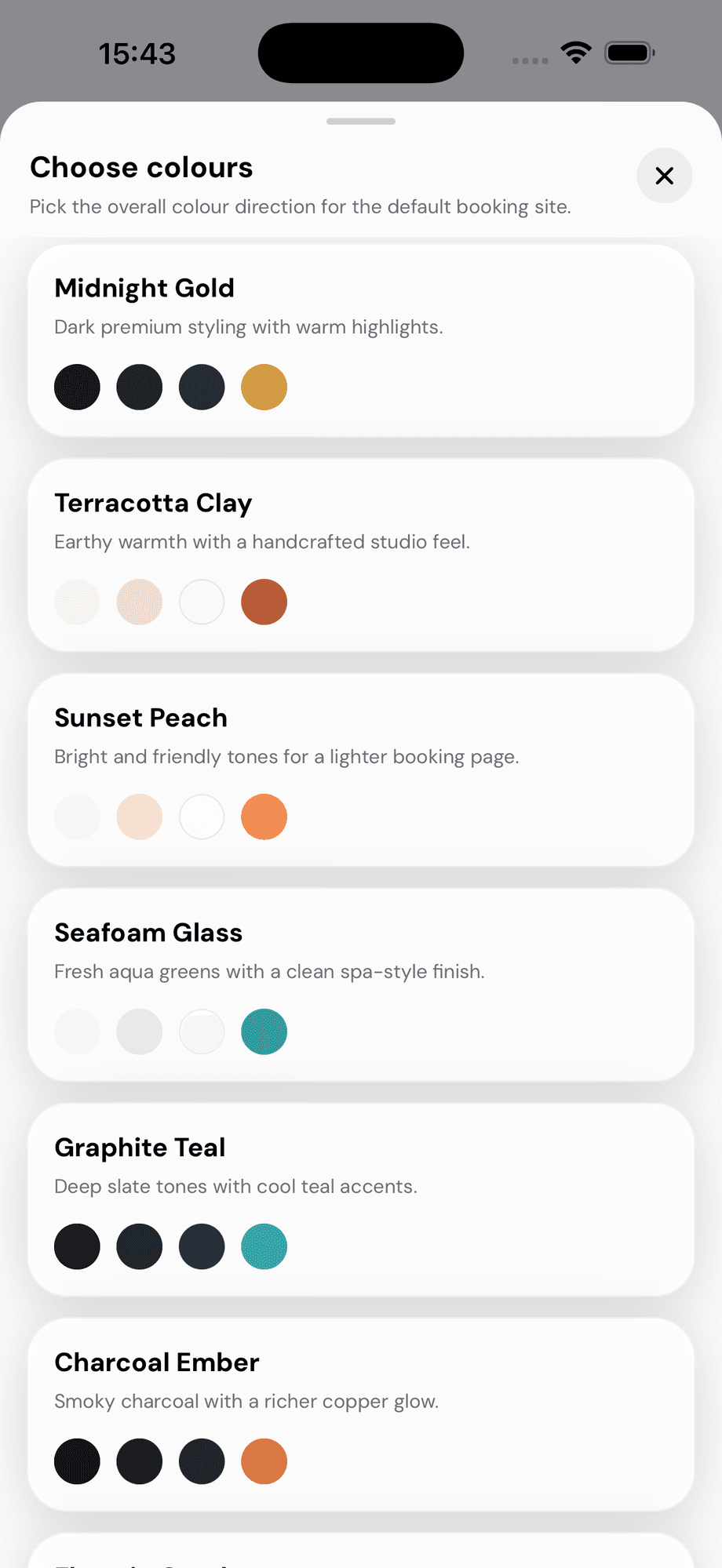
Midnight Gold, Terracotta Clay, Seafoam Glass, Graphite Teal and more. Choose the mood that matches your brand in one tap.
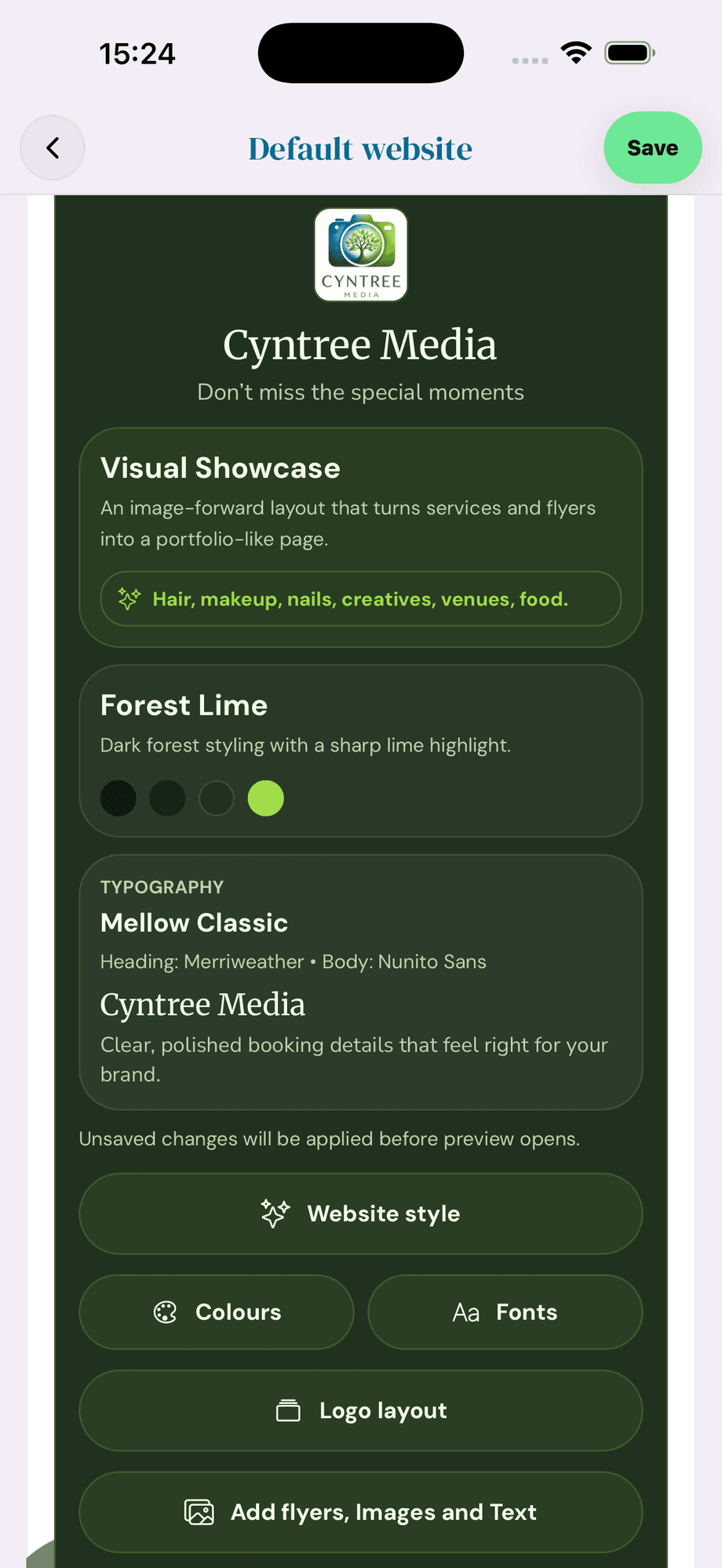
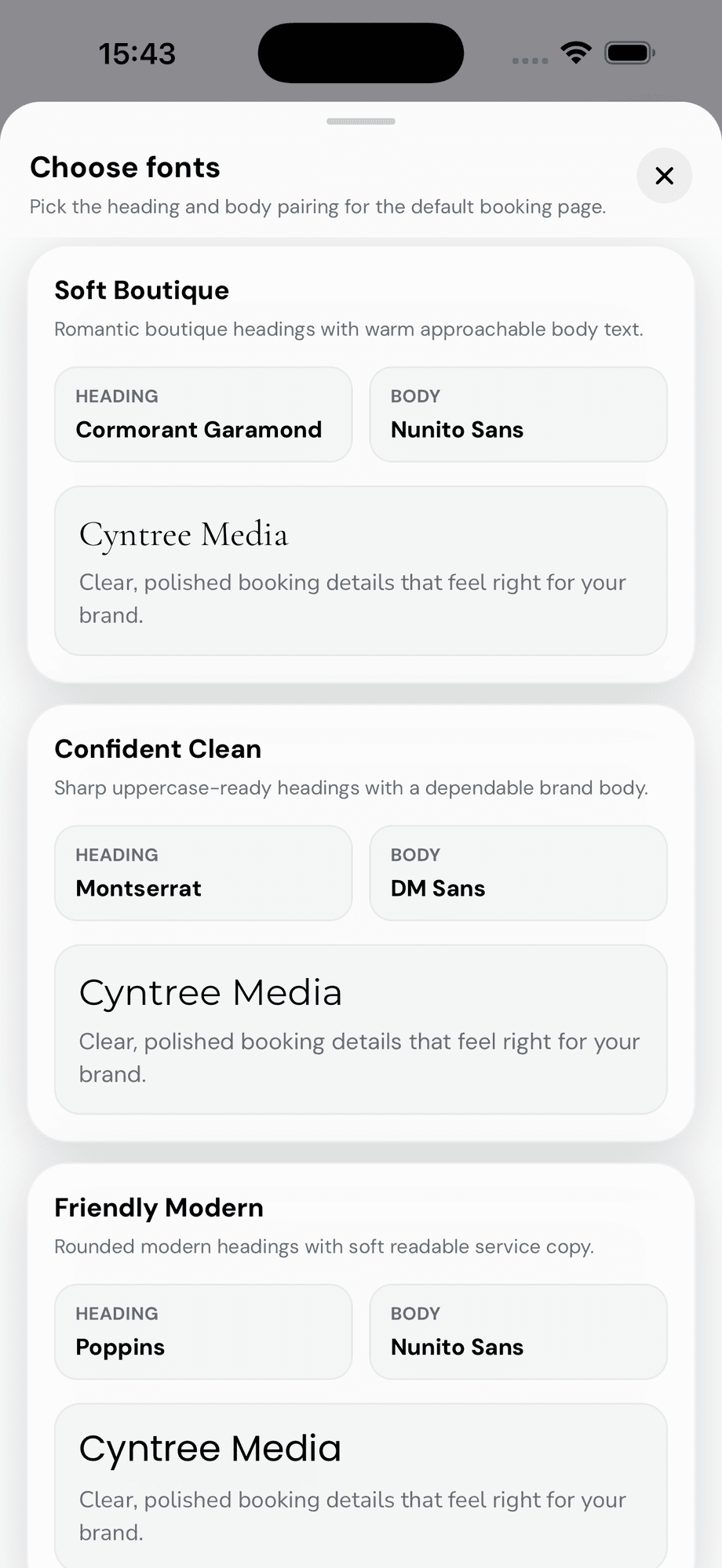
Soft Boutique, Confident Clean, Friendly Modern and more: heading and body pairs curated for service businesses, no design knowledge needed.
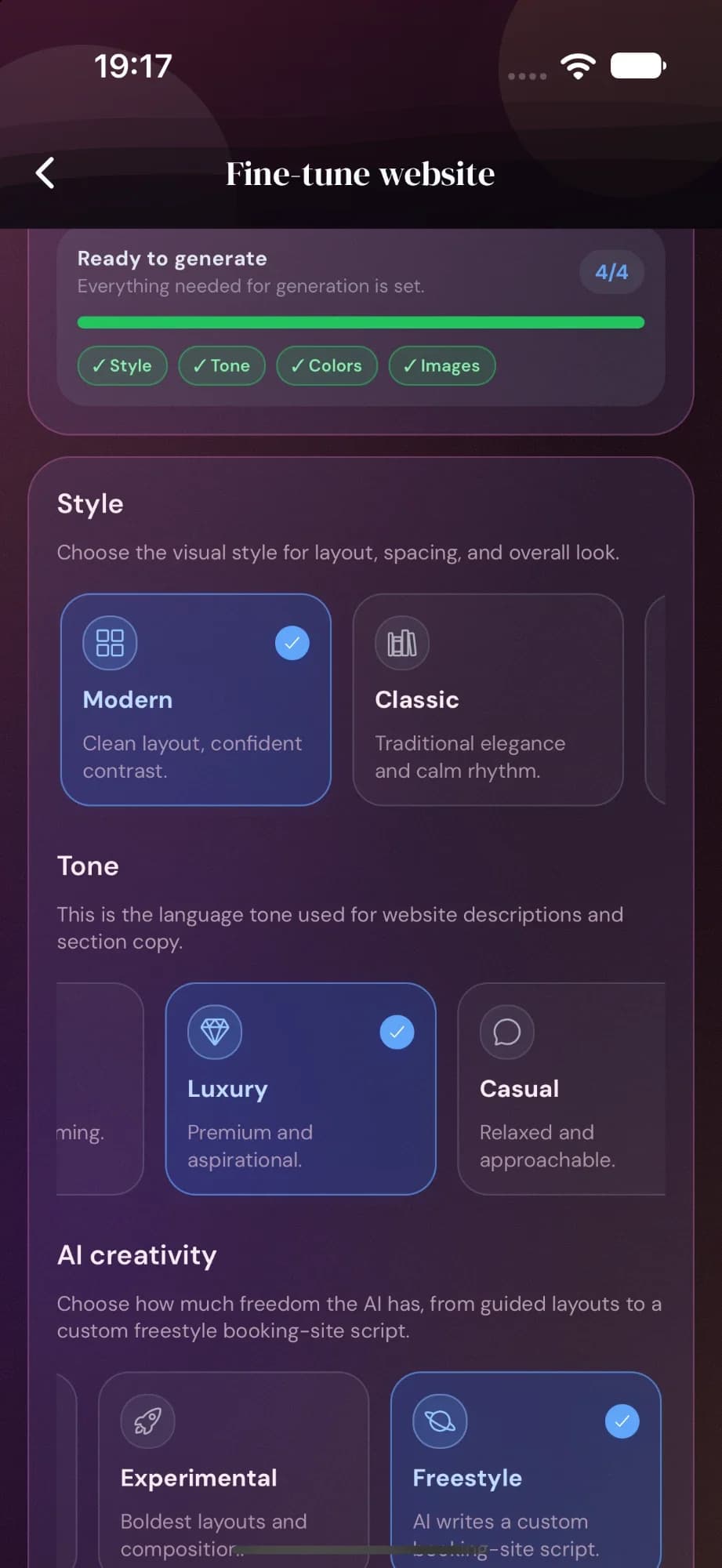
Describe your business, choose your tone, edit the copy, add images, and publish a mobile-friendly website clients can book from.
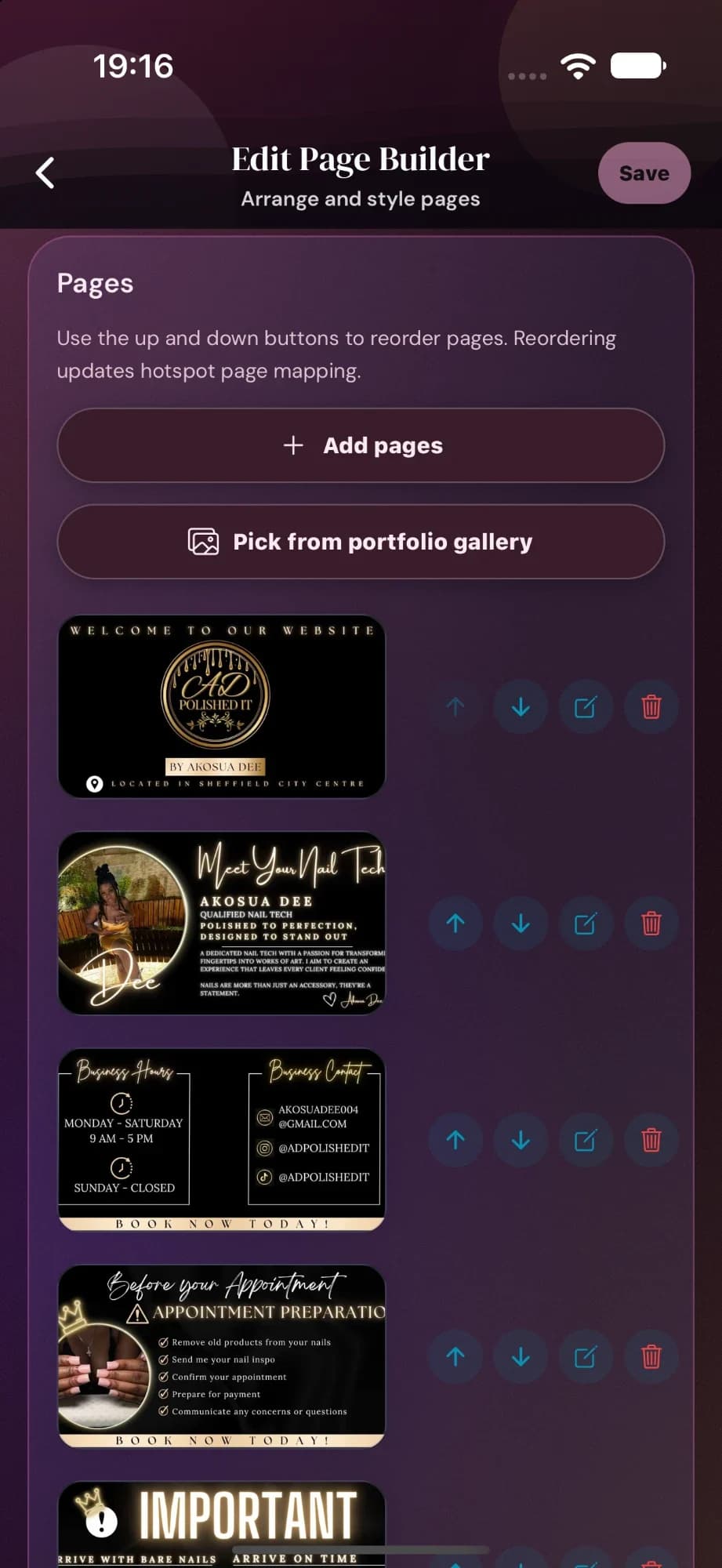
Upload JPG or PNG designs, set colours, place booking buttons, preview the flow, and publish a branded booking page.
Open each area to see what Cyntree can handle for your day-to-day bookings, clients, payments, websites, and growth.
Control how, when, and where clients can book you.
Clients choose a service, date, time, add-ons, and payment option from a clean public booking flow.
Set normal working hours, block time away, and keep your diary accurate without rewriting every service.
Create bookings yourself and send client confirmations when the booking is added by the business.
Book a regular client weekly, every few weeks, or monthly in one go, for up to a year. Each visit is a real booking you can move or cancel, and you can extend the series later.
Clients can request unavailable times, custom budgets, or services that need approval before confirmation.
Connect Google or Outlook so Cyntree respects the schedule you already use.
Run classes, pop-ups, workshops, or shared sessions with capacity and spots-left logic.
Let clients cancel or move their own booking before it starts, or keep every change in your hands. You choose once, in your policies.
Set the rules clients must follow before a slot becomes available.
Make each service work exactly the way you deliver it.
Manage status, visibility, duration, pricing, locations, booking options, media, and how the service is delivered, with a change history for every service.
Get a bookable service live in seconds with just the essentials, including free, cash, or pay-on-the-day services that need no card setup.
Describe a service in your own words and Cyntree drafts the name, description, duration, price, locations, and add-ons. Refine it with AI later without starting over.
Describe what you want in plain words and Cyntree drafts discount codes, Quick Invoice line items, and a tidy category structure for your services.
One toggle per service folds the booking fee into your price, so clients see a clean all-in total like £20 instead of a price plus fees.
Organise services into clear groups. Starter stays simple; Pro and Premium unlock richer menus.
Offer paid extras clients can choose during booking. Pro includes a set amount; Premium removes the cap.
Offer business location, client address, remote, or custom delivery options per service.
Hide selected services from the public list while still sharing a direct booking link.
Show clients what they are booking with images on service cards and booking pages.
Move, zoom, crop, and rotate service, portfolio, and website images right in the app. No separate editing app needed.
Ask clients to upload an image during booking, with labels configured per service.
Put a booking's before and after photos side by side, ready to save or share.
Add short videos to service cards and website media for businesses that sell visually.
Reduce no-shows, collect money cleanly, and keep payment actions tied to bookings.
Take secure online payments and deposits through Stripe from the booking flow.
Use regional payment providers where they fit your business better.
Take deposits at booking and request remaining payment later when needed.
Let clients check out faster with wallet payments where supported by the payment provider.
Clients can add a tip after a completed booking when great service deserves more.
Handle full or partial refunds for supported payment providers from the dashboard.
Send professional payment requests for a booking or a remaining balance. Service-report payment requests come with Premium service reports.
Send a standalone, itemised invoice to anyone. Take payment in person with Tap to Pay on iPhone, or share a secure card-payment link.
Accept contactless debit and credit cards, Apple Pay, and other digital wallets in person, right on your iPhone, with no card reader or extra hardware.
Turn your booking link into something clients can trust and remember.
Every business gets a public page with services, availability, payment, and confirmation flow.
Use a branded booking link that feels more memorable and professional.
Share your booking or website link from flyers, counters, events, and social posts.
Choose which client feedback appears as reviews on your booking website, so new clients see real experiences before they book.
Clients can search for your business by name on Cyntree and go straight to your booking page.
Describe your business and generate a polished website draft, then fine-tune it section by section and publish.
Import JPG or PNG designs from Canva or other tools and turn them into interactive booking pages.
Showcase your work in a dedicated gallery and publish it as a portfolio page on your booking website.
Edit the copy, layout flow, and published variants of your AI or template website so it stays on brand.
Promote offers and bring clients back without juggling separate tools.
Create campaign assets, promotional settings, and reusable brand material for sharing.
Create codes for offers, quiet periods, or limited-time campaigns, then share each one as a ready-made social card with a caption.
Every few completed visits earns a reward. Clients track their card online, signed-in clients get their best reward applied automatically, and you choose how long rewards last.
Design branded email campaigns with images, services, and discount codes, then send now or schedule up to 60 days ahead. AI drafts the copy and checks each campaign before it goes out.
Highlight offers and campaign messages directly where clients are already booking.
Use branded creative for promotions, follow-up messages, and feedback requests.
Add Instagram, TikTok, website, and other links so clients can trust you before booking.
Ask for feedback after bookings and use responses to improve service quality.
Recommend Cyntree to another business and earn up to three free months for each one that subscribes, on a monthly Premium or Teams plan.
See how many people are viewing booking and website pages.
Understand what is working, where time is going, and what to optimise next.
Track bookings, revenue, no-shows, cancellations, and performance trends.
See which services clients book most so you can promote what is already working.
A quick read on how the business is doing, so you know where to look first.
Understand which channels and booking sources are driving money into the business.
See how page visits turn into bookings, and where people drop off along the way.
Track how much of what's booked has actually been paid, and what is still outstanding.
Use recent performance to forecast where revenue is heading.
See whether clients come back, who your top spenders are, and where loyalty is building.
Spot the times that fill fastest and find chances to adjust availability or pricing strategy.
Use smarter recommendations to make better operational decisions over time.
For work where the final scope is confirmed after delivery.
Mark selected services as report-based instead of charging a fixed total upfront.
Open a completed booking, record what was done, and build a clear service summary.
Capture job notes, worked time, and additional charges before anything is sent to the client.
Share the report alone or send it with a payment request when the final amount is ready.
Keep every client, reminder, and change connected to the booking.
See past bookings, payment history, notes, and preferences in one place. Archive clients you no longer see and restore them anytime.
Keep what matters about each client on their profile instead of in separate notes apps.
Keep clients informed before appointments and after booking changes.
Customise every confirmation, reminder, and thank-you so it sounds like you. Email templates on every plan; SMS templates with Pro.
Add text-message reminders and alerts for higher-touch communication.
Control which booking, payment, and operational alerts you receive.
When appointments change, clients receive clearer updates automatically.
Choose whether addresses are sent immediately, 48 hours before, or on the appointment day.
Send structured forms after booking so clients can submit declarations, consent, documents, and signatures. Review each response, and set automatic clean-up for stored documents.
Clients can sign in to see their bookings, message you, and follow their Stamp Card progress.
Message clients directly in the app and keep the whole thread attached to their profile, instead of losing it in personal texts and DMs.
Keep a host salon's stations, independent renters, agreements, rent, and consent records together.
Create stations, link independent renter workspaces, and see who is active without mixing rental records into the salon's bookings.
Send versioned terms for review and acceptance, attach the host salon's document, and preserve the exact accepted record.
Track rent invoices, payments, arrears, deposits, queries, and downloadable tax-year statements in a separate rental ledger.
See collected rent, current outstanding balances, and a per-renter breakdown inside Business Reports.
Show an independent renter on the host salon's public page only while both businesses have granted consent.
Run a business with staff: shared calendars, per-person availability, and control over who can see what.
Add everyone who works with you for one flat workspace price. There is no per-professional surcharge and no seat cap.
Co-owner, Admin, Professional, Receptionist, and Read Only, each with its own access. Rename the Professional role to match your trade.
Everyone keeps their own working hours and time off, on top of the shared business opening hours.
Let clients book any available professional and have Cyntree assign the appointment for you, in the order you choose.
Clients can pick the person they want when they book, so regulars keep seeing the same face.
Talk to your team in channels inside Cyntree, kept separate from client conversations.
See how the business is doing overall, while each professional sees their own numbers.
An operational record of who changed what, so nothing about a booking is a mystery later.
The daily operating layer for owners who are not always at a desk.
Manage bookings, services, payments, reports, marketing, and clients from your phone.
See today's appointments on your iPhone home screen without opening the app.
Run more than one business workspace from the same account.
Set up safely, test flows, then switch to live operations when ready.
Use the app comfortably across different devices, themes, and lighting conditions.
Ask a question in your own words and get an answer grounded in how Cyntree actually works, with the exact screen to go to.
Request a copy of your account, bookings, clients, and services data whenever you need it.
Premium businesses get faster support for important setup and operational issues.
Start with the essentials, then move into Pro or Premium when richer websites, booking requests, reports, and marketing start paying for themselves.
The core booking system for solo businesses getting online fast.
For businesses that need stronger availability, requests, reports, and marketing.
For businesses that want websites, email campaigns, rich media, service reports, and advanced insight.
Everything in Premium, plus shared calendars and control over who can do what.
Test your setup, then upgrade only when the extra tools earn their place in your business.